macOS 14+ · Native app

SnipX

Mac screenshot & recording, one tap away.

Native AppKit + Swift + ScreenCaptureKit. Pixel-perfect output, on-device OCR, editable shortcuts, scrolling capture, local MP4 recording. Everything stays on your Mac — no SnipX account required.

macOS 14+ Universal 2 · Apple Silicon + Intel On-device OCR SnipX Pro recording/GIF

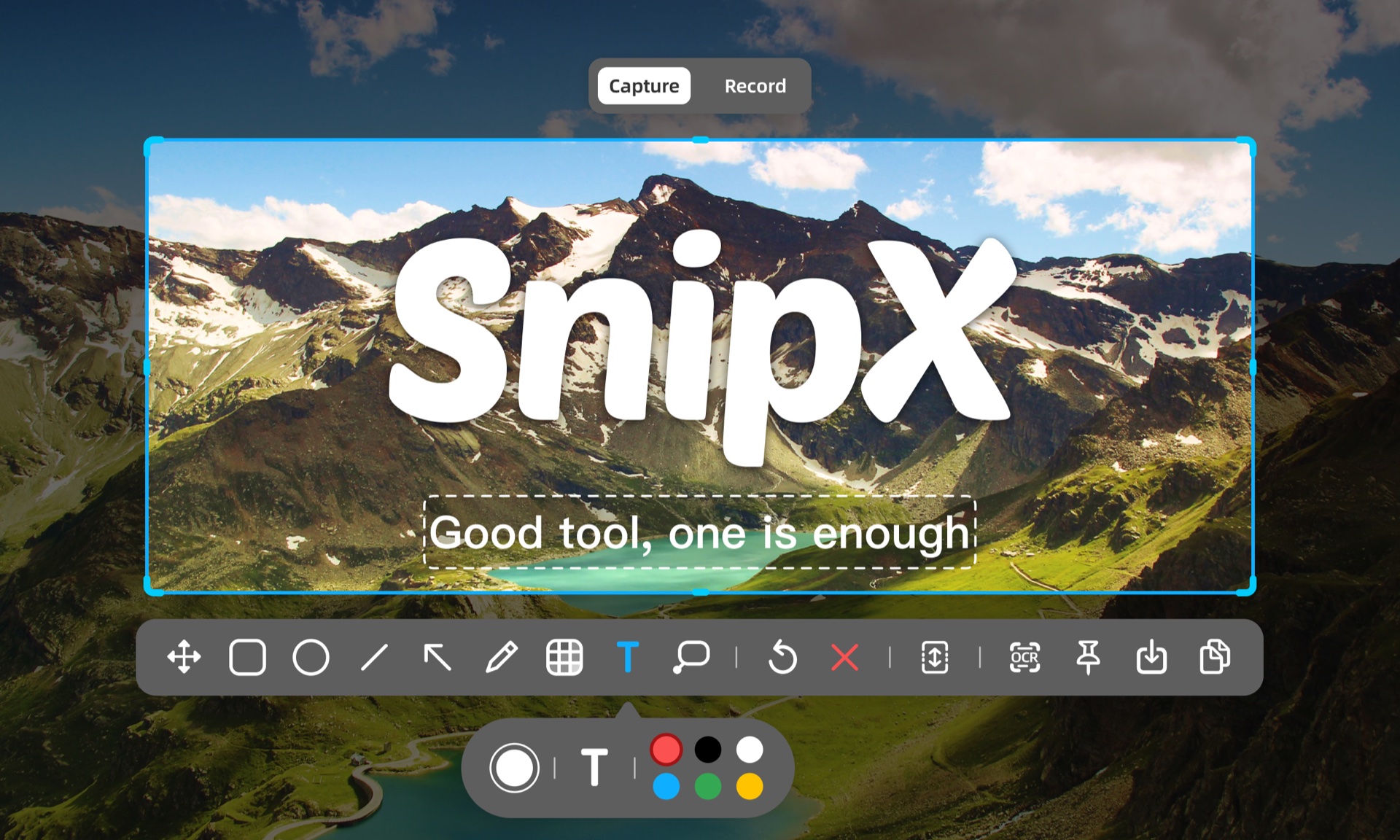
SnipX interface preview

Features

Always there in the menu bar

Capture, annotate, record, and scroll-capture — all from the menu bar in one tap.

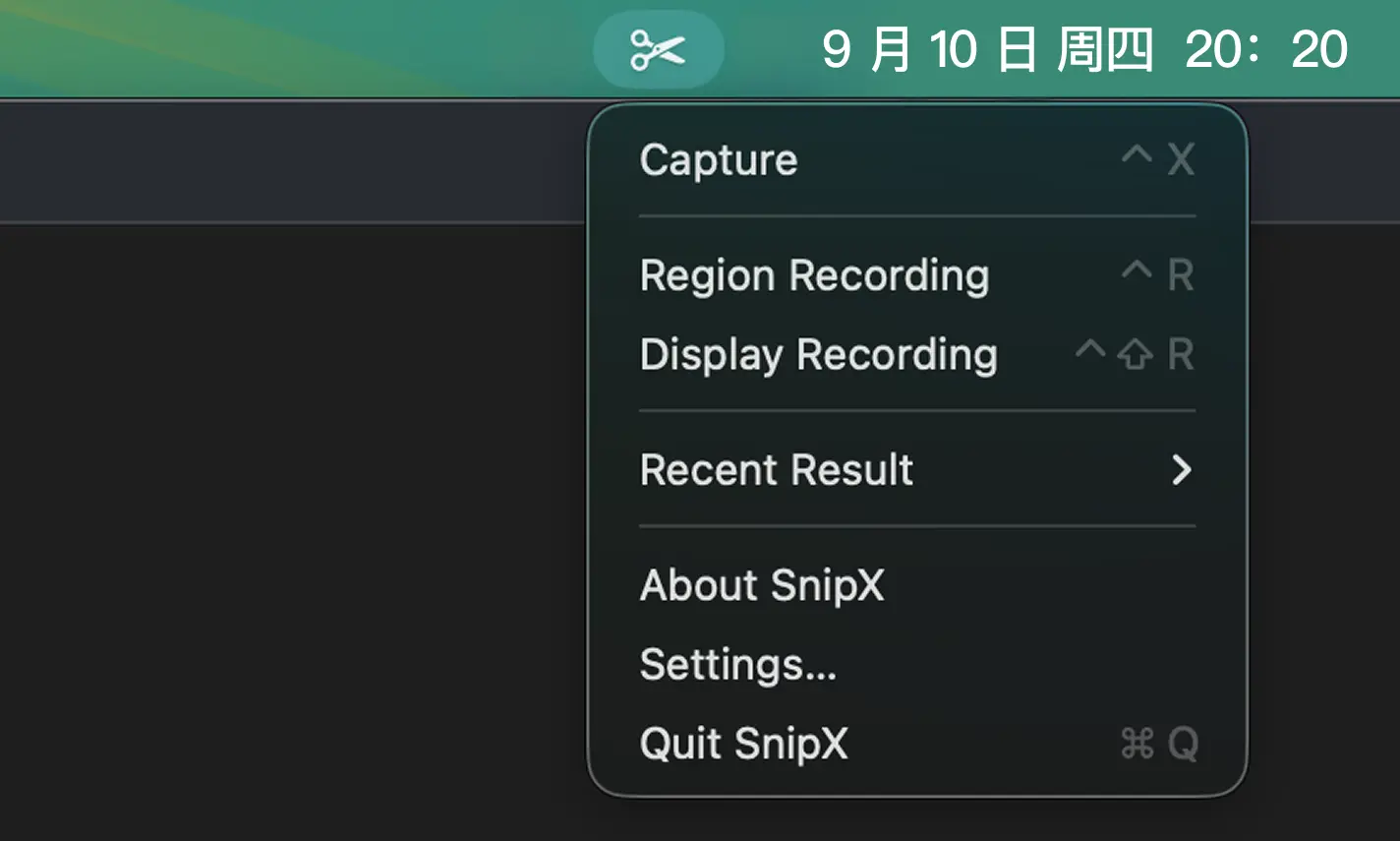
SnipX menu bar capture entry

Lives in the menu bar

Click to open, never in the way

SnipX lives quietly in the corner of your menu bar. No main window to open — a single click reveals the capture / recording entry points.

  • Capture, recording, annotation, settings — one tap each
  • Never steals focus or breaks your flow
  • Native menu bar icon that follows macOS design
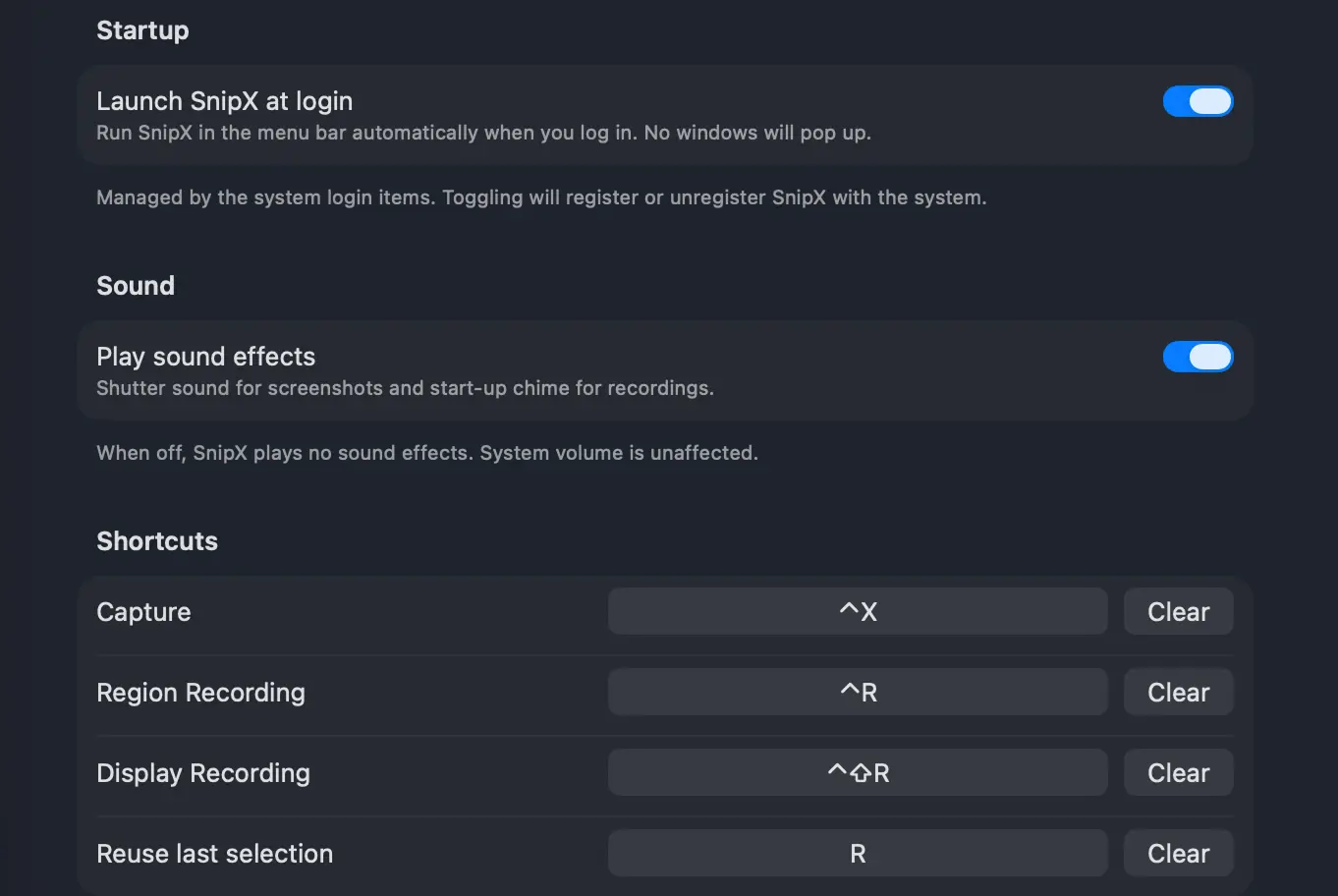
SnipX global shortcut settings

Editable shortcuts

Global shortcuts, freely assigned

Capture, recording, annotation, scroll-capture — each action gets its own shortcut, with warnings before any conflict.

  • Single keys / combos / modifiers
  • Conflict detection, one-click reset
  • Independent shortcuts for record & capture, annotation on demand
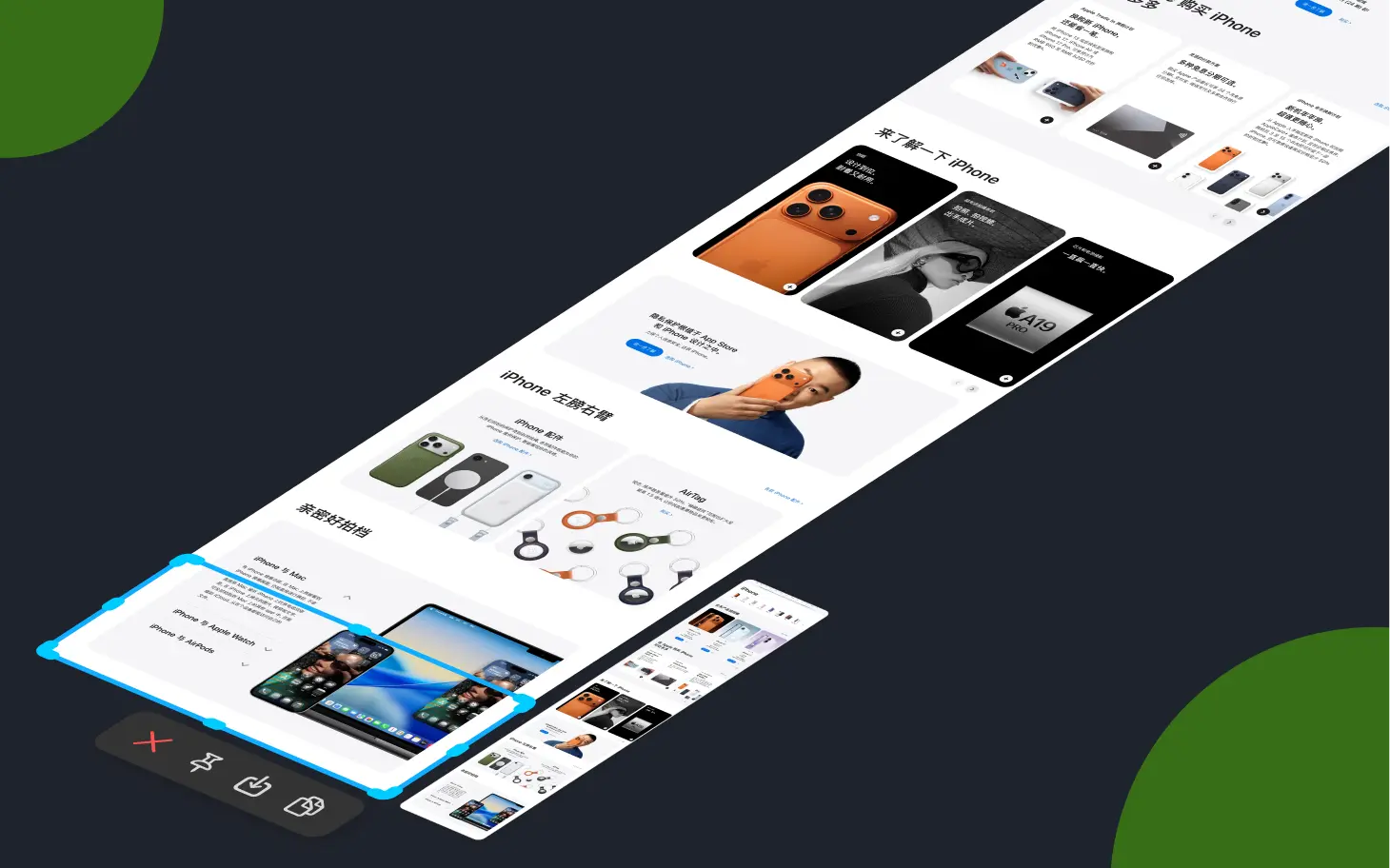
SnipX region / window / full screen / scrolling capture

Four capture modes

Region / window / full screen / scrolling

Pixel-perfect output, automatically rendered at your display scale. Window capture auto-detects app window edges; scrolling capture stitches seamlessly.

  • Region: drag to select, pixel-accurate
  • Window: auto-detect, transparent background
  • Full screen: multi-display at once
  • Scrolling: auto-stitched, no seams
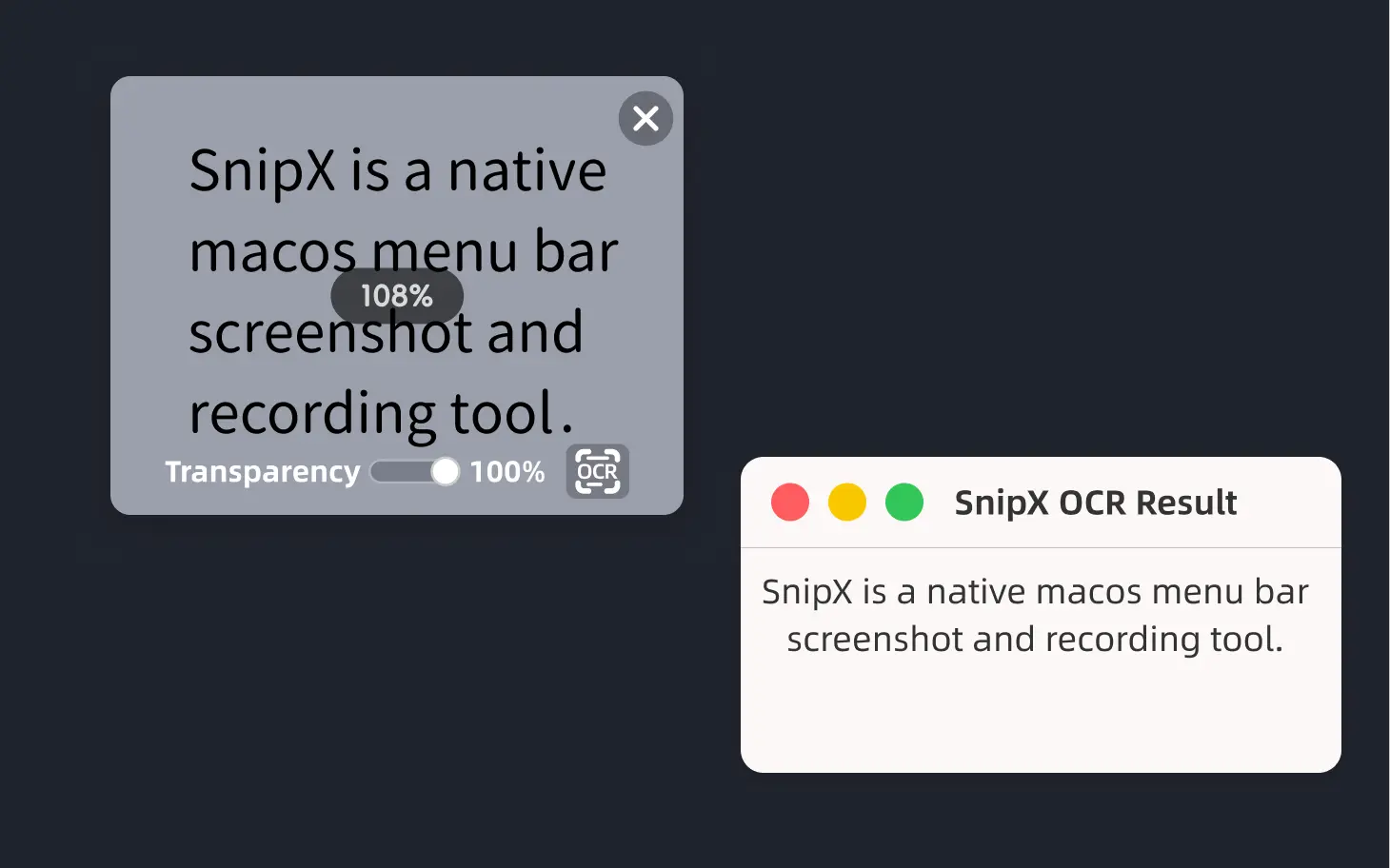
SnipX on-device OCR recognizes capture text

On-device OCR (new in 1.0.0)

One-tap text recognition from your captures

Powered by the Apple Vision framework, SnipX recognizes Chinese, English, and mixed Chinese/English text directly on your Mac. Edit or copy the result — nothing is uploaded.

  • Simplified & Traditional Chinese, English, and mixed
  • Fully on-device, never leaves your Mac
  • Edit, copy, or cancel after recognition
  • Great for extracting text from captures
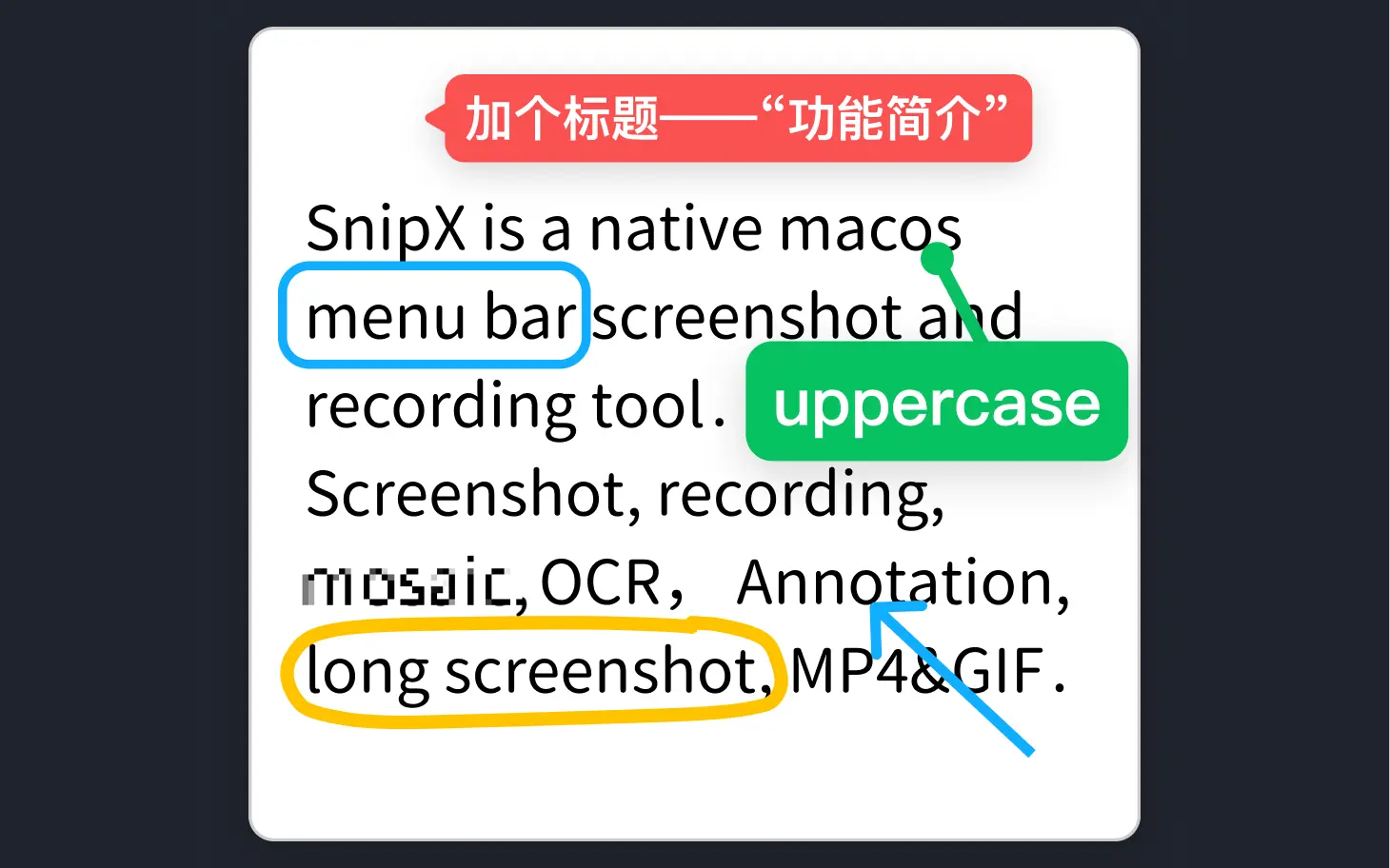
SnipX annotation tools

Annotation tools

Rectangle / arrow / text / mosaic

Annotate the moment you capture. Move, delete, undo, redo anything. Crop, mosaic, and a color picker — all built in.

  • Rectangle, ellipse, arrow, pen, text
  • Mosaic sensitive details
  • Undo / redo / crop / color picker
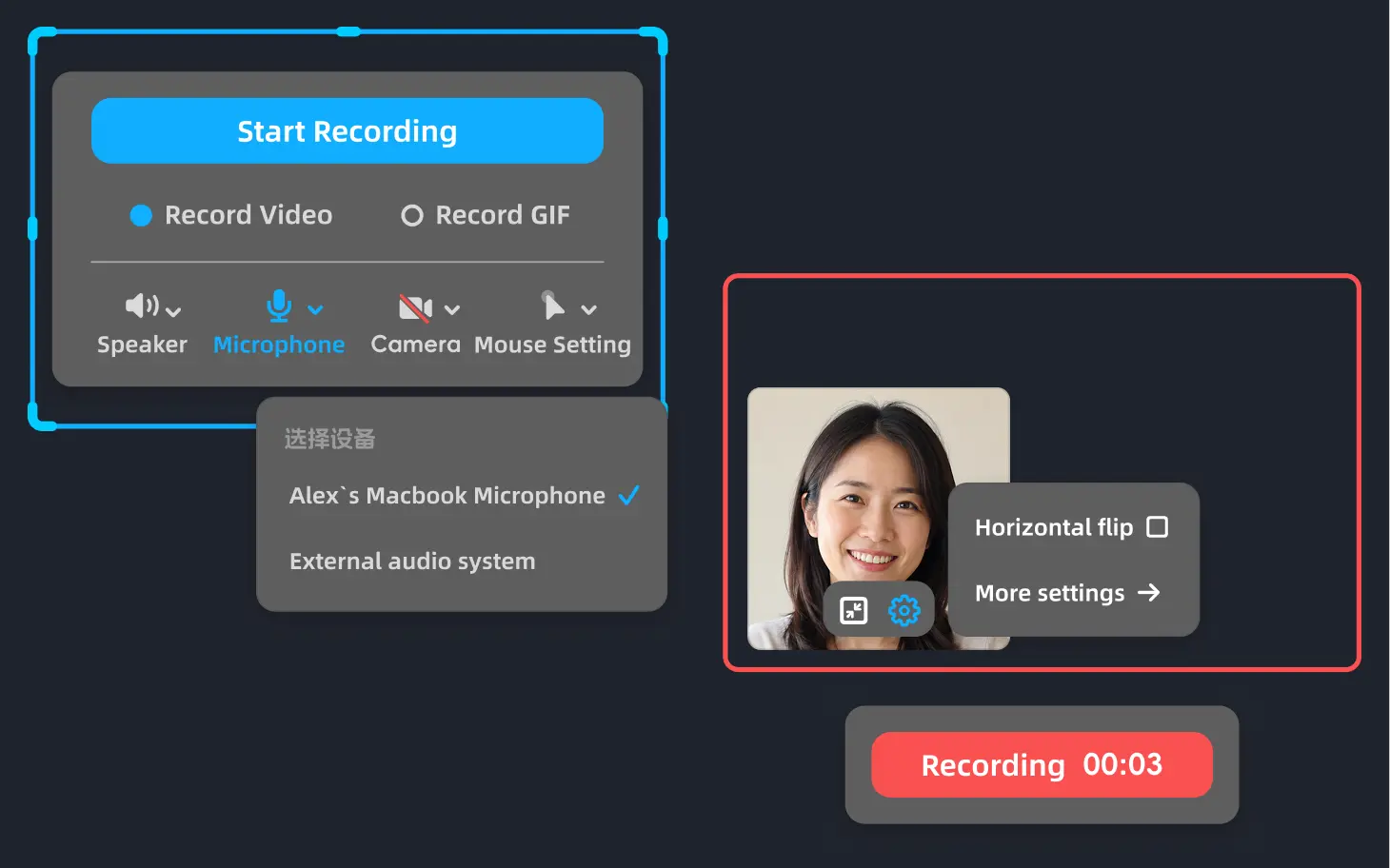
SnipX MP4 recording

Local MP4 recording · SnipX Pro

Countdown · system audio + mic · auto-recovery

Built on ScreenCaptureKit for fully local recording. Capture system audio and mic simultaneously, with countdown, disk protection, and crash recovery. Trim head & tail and export — no third-party editor needed.

  • Region / window / display, three modes
  • System audio + mic, single mixed track
  • Countdown & live status, no interruption
  • Crash recovery preserves the last clip
  • Trim head & tail, export a new MP4

录屏与 GIF capture需解锁 SnipX Pro(一次性买断,价格以 App Store 为准)。截屏、标注、长截图永久免费。

SnipX runs fully offline

Zero data leaving your Mac

Fully offline

Capture, recording, and OCR are processed locally. Nothing is uploaded, and there is no telemetry. Purchases and restore go through Apple.

  • Purchases & restore may need internet
  • No account, no sign-in, no cloud sync
  • No third-party SDK, no trackers
  • Local-first storage, friendly to open source

Download

Get it on the Mac App Store

One-click install on the App Store. Purchases, updates, and restore are handled by Apple.

  1. 1

    Go to the App Store

    Tap the button below to jump to SnipX on the Mac App Store.

  2. 2

    Install & open

    Tap "Get" to install SnipX, then launch from Applications or the menu bar.

  3. 3

    Grant system permissions

    Authorize per feature: screen recording, system audio, microphone, and camera.

Get SnipX on the App Store

The App Store listing is coming soon — link will be filled in.

macOS 14+ · Universal 2 (Apple Silicon + Intel) · only 3 MB

基础截屏永久免费 · 录屏与 GIF capture需 SnipX Pro(一次性买断)

About

About SnipX

Built native

Written in Swift + AppKit + SwiftUI + ScreenCaptureKit + AVFoundation + Carbon. No WebView, no Electron, no wrapper layer.

Privacy first

All processing stays on your Mac — no SnipX account required. Purchases go through Apple; sharing is always your choice. Details in Privacy Policy

SnipX Pro

Capture, annotation, scrolling capture, and pinning stay free forever. A one-time purchase unlocks MP4 recording and GIF capture. Price set in the App Store.

Continuously maintained

Current version 1.0.0。Every release goes through manual testing, unit tests, and functional tests. Need help? support page